Open the print PDF
Use the PDF at its intended print size. Barcode detection and measurements run locally in your browser.

Barcode preflight for print artwork
Barcode Medic checks barcode geometry in your PDF artwork, including bar width, scale and quiet zones. Review the findings in your browser, then make any changes in your design software before sending the file to print.
The on-screen check is free for one file at a time, limited to the first PDF page, with no time limit.

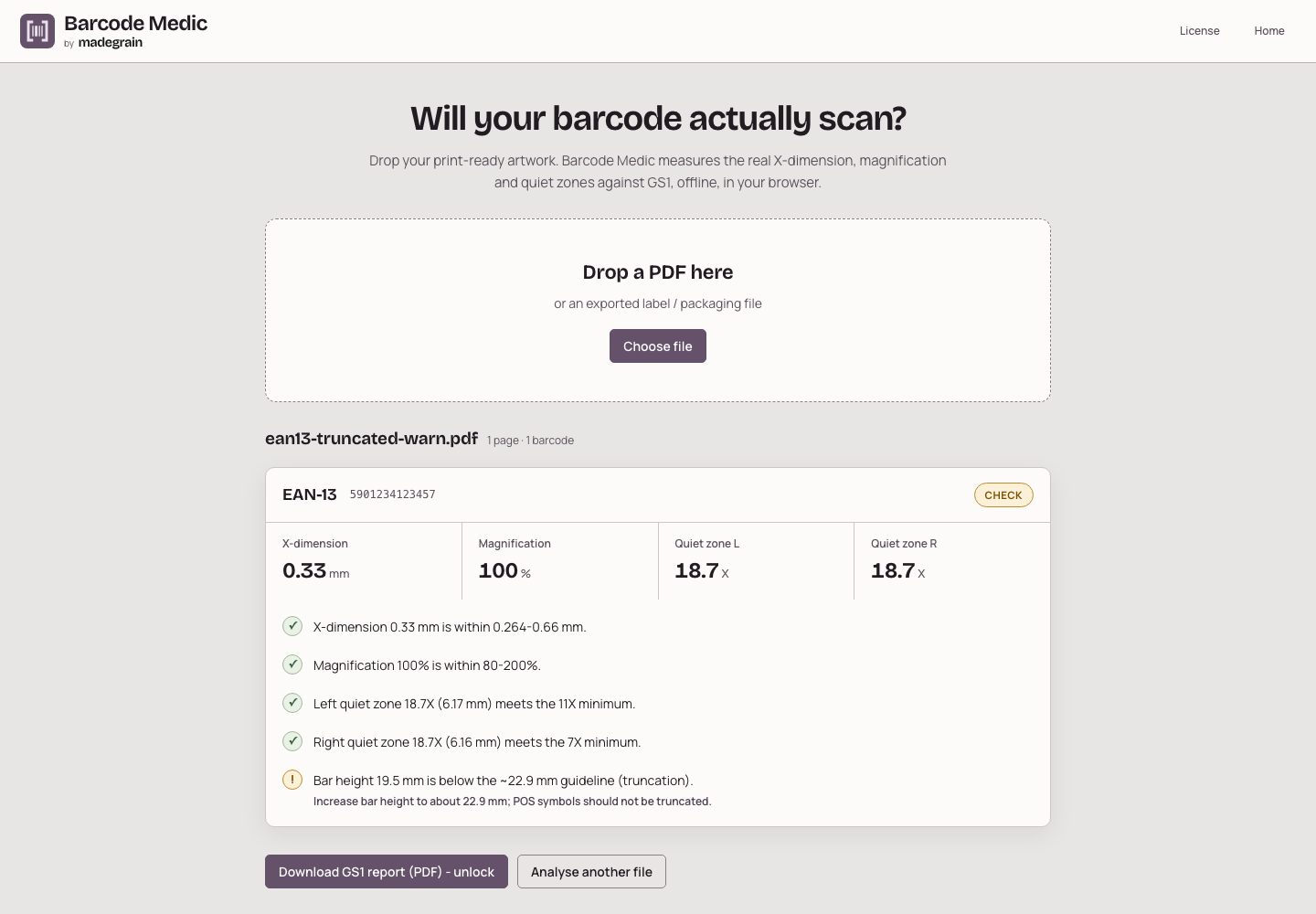
An example PDF checked in the Barcode Medic app: measured X-dimension, magnification and quiet zones, plus one bar-height finding.
Use the PDF at its intended print size. Barcode detection and measurements run locally in your browser.
Review supported barcode dimensions and quiet-zone checks against the app's GS1 reference values. Read any warnings about raster artwork or unavailable measurements.
Adjust the source artwork in your design tool and check the new PDF. The full license adds PDF reports and checks across multiple files or pages.

Inspect the measured X-dimension, the width of a narrow bar or module. For EAN and UPC symbols, the app also shows magnification.
Check the clear space around supported barcodes. Findings identify insufficient space and include guidance where the app can provide it.
With the full license, download a PDF report and process multiple files or pages. The same measurement tools are used for the free on-screen check.
Barcode Medic doesn't edit or repair files and can't guarantee a successful scan. It's an independent preflight tool, not a GS1 certification or a hardware print-quality verifier. Raster measurements depend on pixel resolution; some measurements may be unavailable. Use a print-size PDF, since a standalone image doesn't establish a physical size. Check the printed result separately when your workflow requires it.
Try the free version. A license extends it for larger jobs.
0 €
19 €
One-time purchase for version 1
End prices include applicable taxes. One-time purchase for version 1.
No. The app checks artwork geometry. Printing, ink, substrate and scanning conditions can change the result. It doesn't issue a formal hardware print-quality grade or GS1 certification.
The app checks EAN-13, EAN-8, UPC-A, UPC-E, ITF-14 and GS1-128, plus QR and DataMatrix. For 2D symbols it checks module size and quiet zones, with GS1 content checks where applicable. Available measurements depend on the artwork; review any unavailable checks in the findings.
Use a PDF exported at its intended print size. A standalone image doesn't establish the physical dimensions needed for millimetre measurements. Raster barcodes placed inside PDFs can be analysed, but the app flags their pixel-limited measurements.
All on-screen findings for one file at a time, on its first PDF page. There is no signup or time limit. The full license adds report download and print, plus batch processing for multiple files or PDF pages.
Yes, once the app and its assets have loaded and are cached. The PDF is processed locally in your browser, and license verification also runs locally. The full license is a one-time purchase for v1 with v1 updates; applicable taxes are shown at checkout.
