Open the file
Drop a DXF or SVG into the app. Parsing and geometry checks run in your browser.

File checks for laser, CNC and plasma
DXF Medic checks DXF and SVG files for contour gaps, duplicate points and other geometry problems. Read the findings, adjust the repair settings and export the result without uploading your file.
Diagnosis is free with no file limit; repaired downloads are free when the result contains up to five parts.

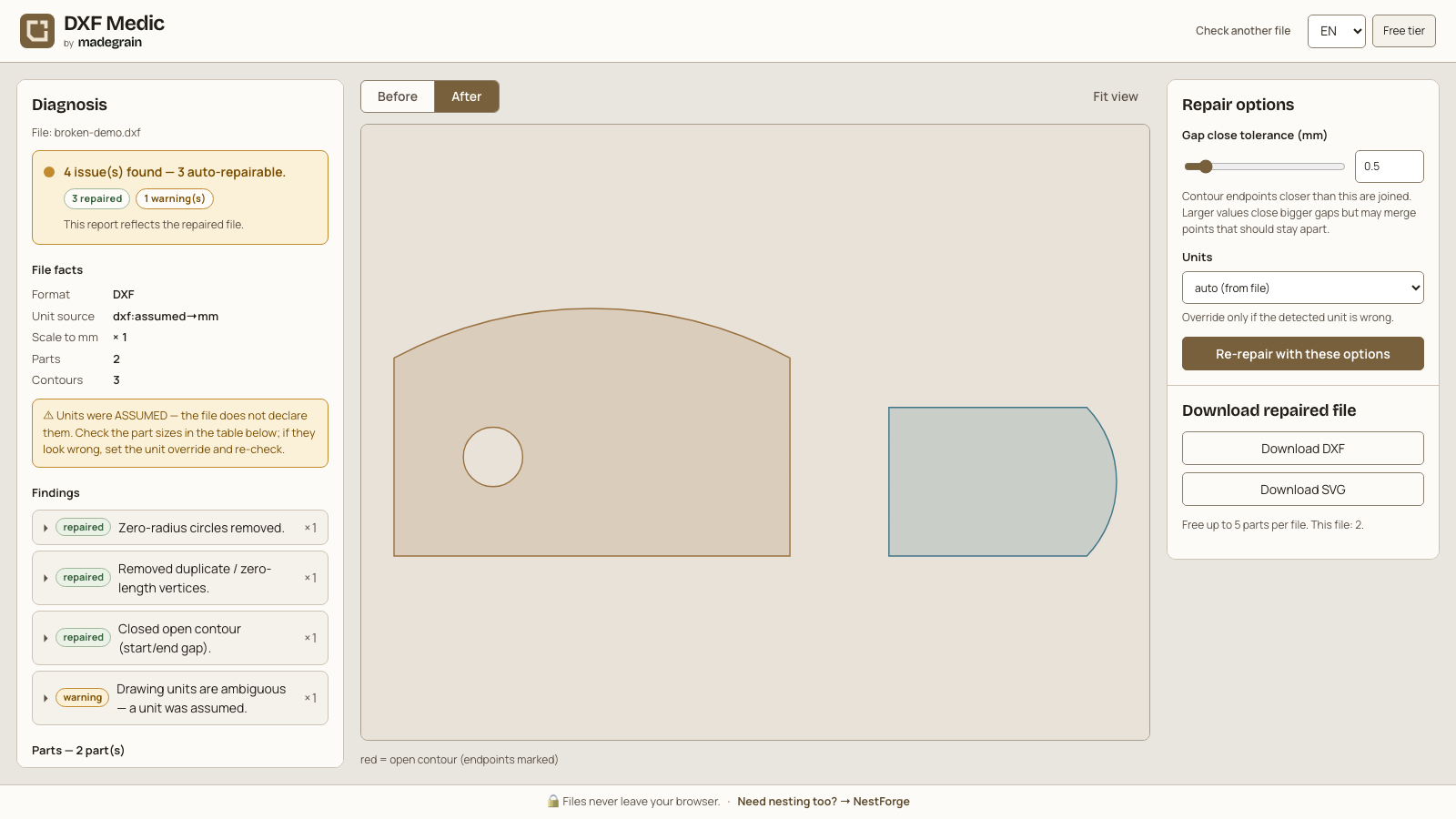
A file check and geometry preview in the DXF Medic app.
Drop a DXF or SVG into the app. Parsing and geometry checks run in your browser.
Inspect reported defects, measurements and suggested next steps. Confirm the units and set the gap-closing tolerance.
Run the repair and inspect its reported changes. Export the result as DXF or SVG for your existing workflow.

The report identifies problems such as open contours, duplicate vertices and self-intersections, with measurements or guidance where available.
Close small gaps within your chosen tolerance. The repair also handles duplicate vertices and degenerate geometry, with changes recorded in the report.
Check assumed units or override them before export. Supported circles and arcs remain curved geometry through repair and DXF or SVG export.
Self-intersections, unsupported entities and truncated files are reported rather than automatically reconstructed. Repairs depend on the input and your tolerance settings. DXF Medic imports SVG and text DXF, not DWG. It doesn't redraw a design, nest parts or generate CAM toolpaths and G-code.
After checking and, where appropriate, repairing the cut contours, you can plan many parts across sheet sizes with NestForge. The layout still needs checking in your cutting workflow. Plan the same parts across sheet sizes
Try the free version. A license extends it for larger jobs.
0 €
9 €
One-time purchase for version 1
End prices include applicable taxes. One-time purchase for version 1.
Small contour gaps within your chosen tolerance, duplicate vertices and degenerate geometry. The report records the changes. Self-intersections, unsupported entities and truncated files need attention in the source file or CAD tool; DXF Medic doesn't reconstruct them automatically.
Diagnosis and the repair controls have no file limit. You can download a repaired DXF or SVG for free when the repaired result contains up to five parts. Exporting more parts requires a license.
No. Use SVG or DXF R12, 2000 or 2007 in text format. Convert DWG or binary DXF to text DXF in your design software before importing.
No file upload is needed for diagnosis or repair. Processing and license verification run locally. Once the app and its assets are cached, you can also use it offline.
No. The full license is a one-time purchase for DXF Medic v1, including v1 updates. The purchased version doesn't expire. The checkout shows any applicable VAT or sales tax in the total.
