Madegrain

PatternNest add-on · €5 one time, no subscription

Fit and sizes

Pick a size for bust, waist and hip, and lengthen or shorten at the line printed on the pattern. PatternNest redraws the cutting line and plans your fabric with the new shape.

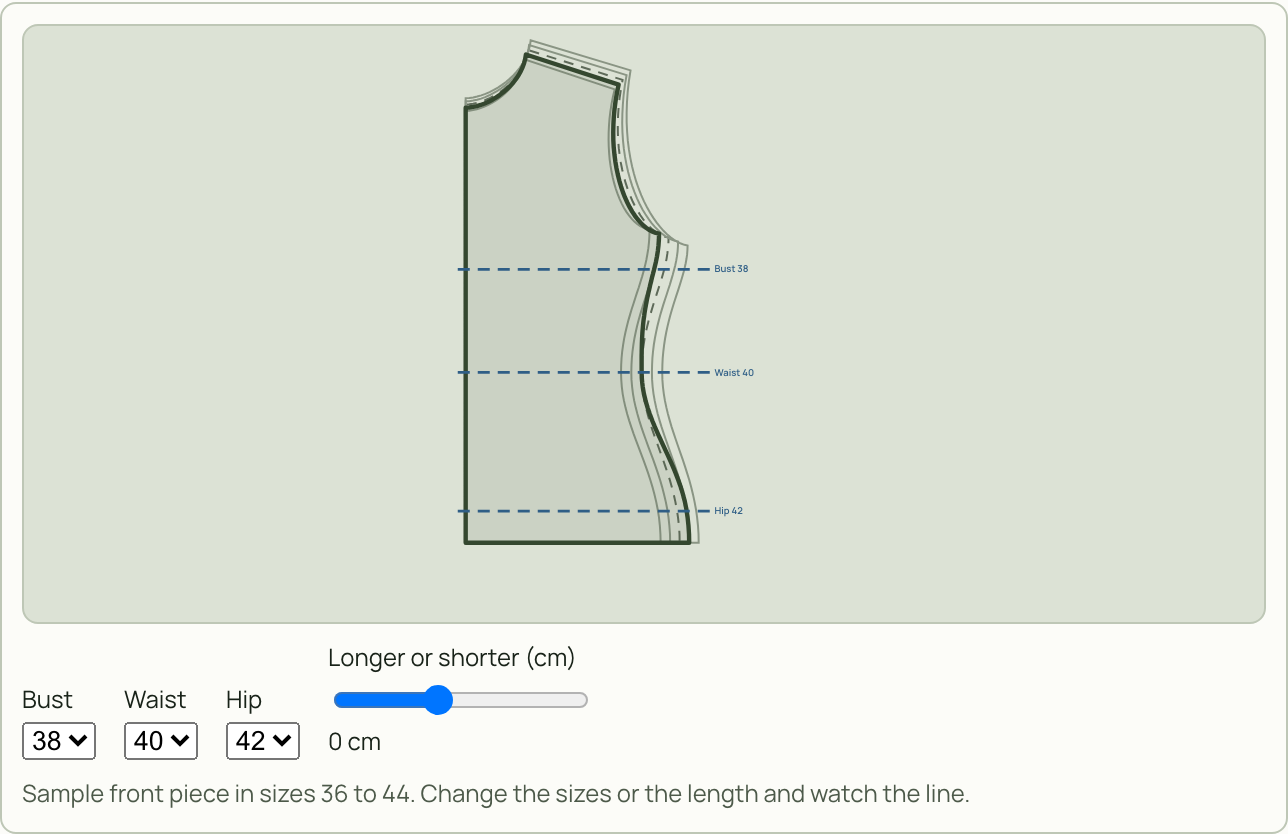
Front piece with blended sizes: the new cutting line goes from size 38 at the bust through 40 at the waist to 42 at the hip.
Preview in the add-on shop of the app: a front piece in sizes 36 to 44, with bust 38, waist 40 and hip 42.

What it does

Blend sizes

On patterns with several sizes you pick one size per height, for example bust 38, waist 40, hip 42. The line blends smoothly in between and sits exactly on the chosen size at each height. This works with PDFs that keep each size on its own layer, and with SVG or DXF files where the size lines are nested.

Heights suggested

The add-on suggests bust, waist and hip from the shape of the piece. You can move them, type them in or add your own. Sleeves get upper arm and hem.

Lengthen and shorten

At the “lengthen or shorten here” line from the pattern or at any other height, by as many millimetres as you need. The edges are redrawn smoothly. This works on single-size patterns too.

Markings move along

Notches, darts, drill holes and the grainline stay where they belong.

Pieces sewn together

Front and back can get the same change at the side seam. The list shows every affected seam with both lengths. If one is off by more than 1 mm, it says by how much.

Stays with the project

The change goes into the layout, the fabric amount and every export, including the projector PDF. “What did I change?” lists every changed piece. Removing a change gives you the piece back exactly as imported.

How it works

01

Import the pattern

Load your PDF, SVG or DXF into PatternNest as usual. If the file has several sizes, the add-on keeps all of them.

02

Open the piece

In the piece list, open the ⋯ menu of a piece and choose “Fit and sizes”, or “Lengthen or shorten” for a piece with one size.

03

Apply

Pick sizes per height, change the length, tick the right ones under “Pieces that go with it” and tap “Apply”. Then plan your fabric as usual.

Good to know

How to get it

Add-ons extend the full version of PatternNest (€14 one time, launch price until 30 November, then €24). The full version stays as it is. Everything PatternNest does today is still in it, the add-ons only come on top.

  1. Open PatternNest and tap “Add-ons” at the top.
  2. “Preview” shows the add-on working on example data. This works without a license too.
  3. “Add for €5” takes you to the Madegrain checkout (Stripe). After that the add-on is active right away.
  4. The key also comes by email. On another device you redeem it under “Add-ons”, together with your PatternNest license.

Pay once, keep it, no subscription. The add-on belongs to your license and works offline too. Prices include applicable taxes.

The other add-ons