Across, lengthwise or at an angle
Set the seam across, lengthwise or at an angle you type in. Move it with the slider, by measurement or right in the drawing. Below it you see the size of each piece and whether it fits your fabric.


PatternNest add-on · €3 one time, no subscription
A wide skirt panel or a coat piece does not fit on 110 cm? Put a new seam where you want it. Both pieces get the seam allowance and notches at the same places, and PatternNest plans them like any other piece.
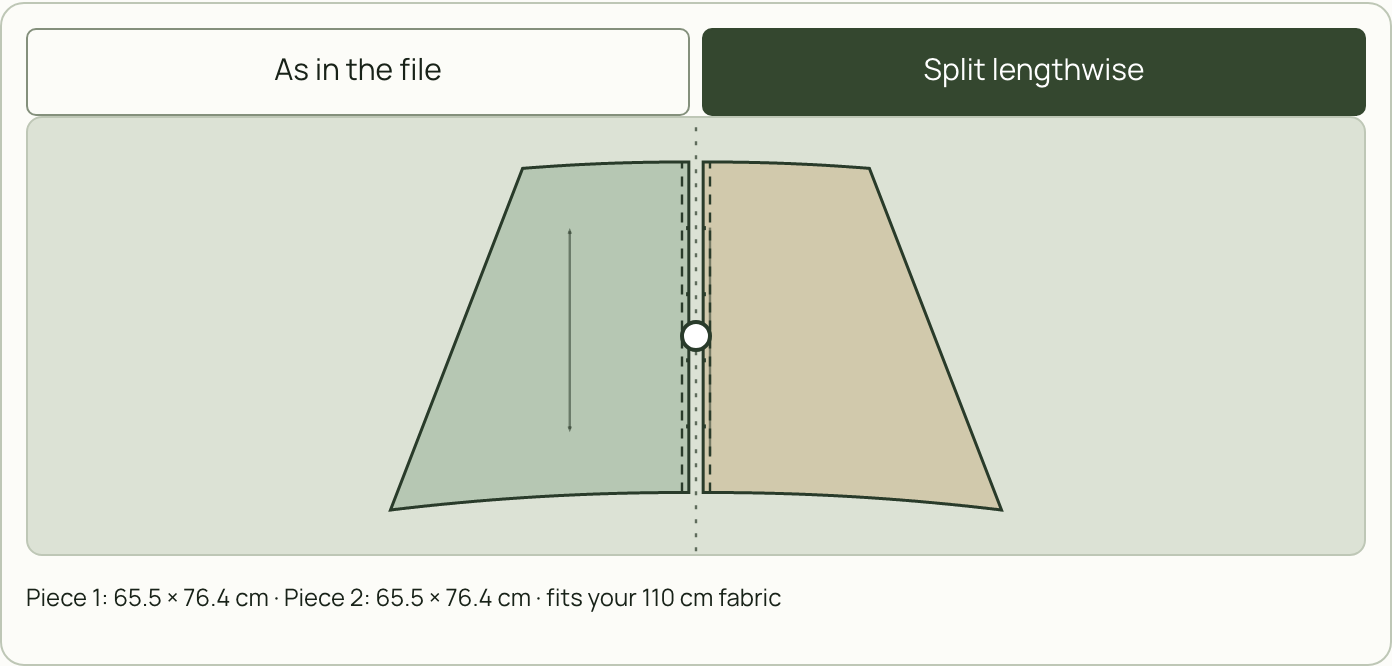
Set the seam across, lengthwise or at an angle you type in. Move it with the slider, by measurement or right in the drawing. Below it you see the size of each piece and whether it fits your fabric.
Default 1.5 cm, or whatever you typed last time. The allowance follows the outline of the piece, curves stay real curves.
Both pieces get notches at the same places so they go back together. The seam line of the new seam goes into the projector PDF too.
Notches, darts, drill holes and text from the file stay on the piece whose side they are on. Each piece keeps a grainline. If the seam runs through a dart, PatternNest tells you.
A piece on the fold is split parallel to the fold: the part at the fold stays on the fold, the outer part is cut as a pair. Or you unfold the piece first, then any direction works.
One click puts the piece back exactly as it was, even after several splits.
Load your PDF, SVG or DXF and set the fabric width. If a piece is too wide, PatternNest says so under the plan.
Open the ⋯ menu of the piece and choose “Split piece…”. Set the direction and position of the seam, check the allowance, split.
The two pieces are in the piece list and go into the plan, the fabric amount and every export.
Add-ons extend the full version of PatternNest (€14 one time, launch price until 30 November, then €24). The full version stays as it is. Everything PatternNest does today is still in it, the add-ons only come on top.
Pay once, keep it, no subscription. The add-on belongs to your license and works offline too. Prices include applicable taxes.

 Fit and sizes€5Blend between sizes, make pieces wider or narrower, lengthen or shorten, right on the pattern you imported. Also up to two sizes above the largest and below the smallest size in your file.Learn more

 Remnant check€3Find out whether a remnant or a fabric from your stash is enough before you cut into it.Learn more

 Cutting companion€4Project your cutting plan straight onto the fabric and tick off each piece as you cut.Learn more

 Seam allowance€4Add seam allowance, change it or take it off, all round or edge by edge.Learn more

 Compare fabric widths€3Know which fabric width needs the least before you buy.Learn more