

Madegrain
DeutschDE Open the appOpen app

Asked most often

Can I import a PDF sewing pattern?

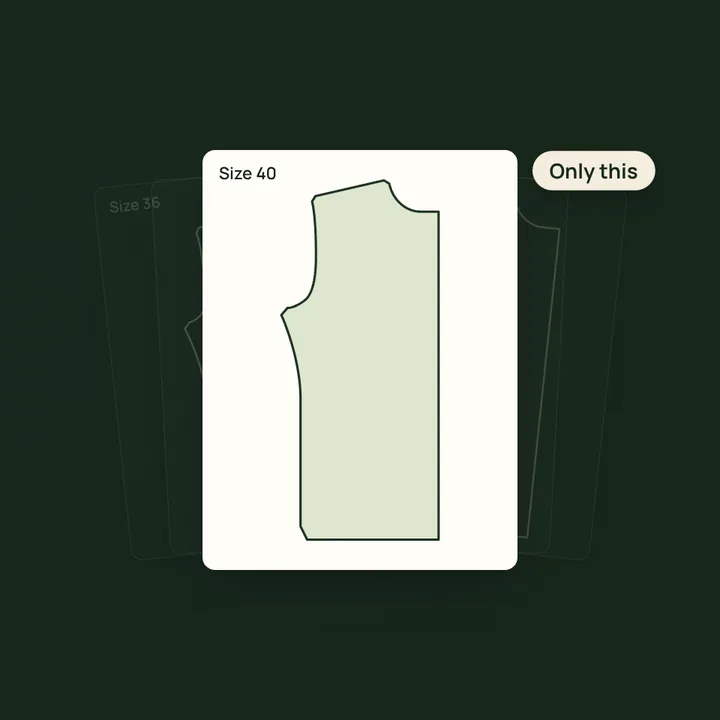
Yes, supported vector PDFs with usable closed outlines. Select the page and contours for your chosen size. Pieces you tick on several pages come in with one import. A photo or scan of a paper pattern comes in through “Pattern pieces from a photo or scan”: an A4 or Letter sheet beside it or the scanner sets the size, and you tap the line you cut on. Tiled letter or A4 print pages are joined into one sheet automatically.

Watch in video · 0:19

Which pattern files work

What the import messages mean

What if my pattern comes in at the wrong size?

If the file has a labelled test square (1 in, 2 in, 4 in, 5 cm, 10 cm or the FreeSewing box), PatternNest measures it during the import. If it measures wrong, for example because the file was saved again in Inkscape or Affinity or printed with “Fit to page”, you see by how much, and “Correct the scale” fixes it with one click. Without a test square nothing changes, so compare one piece with the pattern.

Watch in video · 0:45

What the import messages mean

Do I have to calibrate my projector?

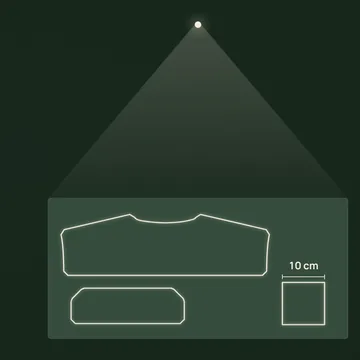
Yes, in the app you project from, such as Pattern Projector. The projector PDF has a 10 cm (4 in) test square and rulers, so you can check the calibration before you cut.

Watch in video · 0:33

Calibrate with the test square

Can I plan a folded fabric layout?

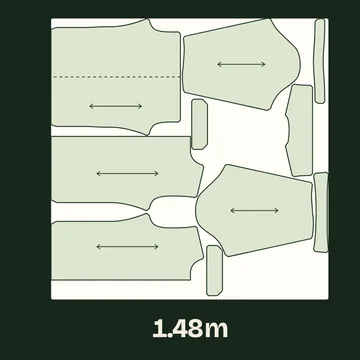
Yes. Choose fabric folded lengthwise and mark the fold edge on each cut-on-fold piece. PatternNest places that edge on the fold and accounts for both layers. A cut-on-fold piece produces one unfolded fabric piece; a mirrored pair produces two separate pieces. A piece on the fold that you set to “Bias (45°)” is cut whole, opened out, in one layer at 45°, because the fold runs along the grain.

Watch in video · 1:19

Does it work with paper patterns?

PatternNest needs the pattern pieces as a file, for example the A0 or projector file of a PDF pattern. You don't need a projector: print the PDF cutting plan and lay your paper pieces on the fabric the way it shows.

Paper patterns: the file and the printed plan

How does the free limit work?

Count fabric pieces, including copies; a mirrored pair counts as two. Up to 10 pieces, layout calculation, export and print are free. Above that, calculating a new layout and exporting require a license.

All questions

Still stuck? Write to us.

Tell us your file format, what you did and what you see. Send the file only if you want to.

Write to us

Open the full tutorial